
Transparent math. Deterministic protocols. Works offline.
C1V1 = C2V2 is simple. Getting it right isn't.
10 mM to 10 nM is a million-fold dilution — not trivial in practice. LabCalcPro picks pipettes, plans 2- or 3-stage serial dilutions, rounds to instrument resolution, and produces numbered, bench-ready steps. Add molarity↔mass and saved solutes for solution prep; follow with confidence.
Free download · 3-day trial · $5.99 lifetime unlock
No subscription. No account required. Works offline.
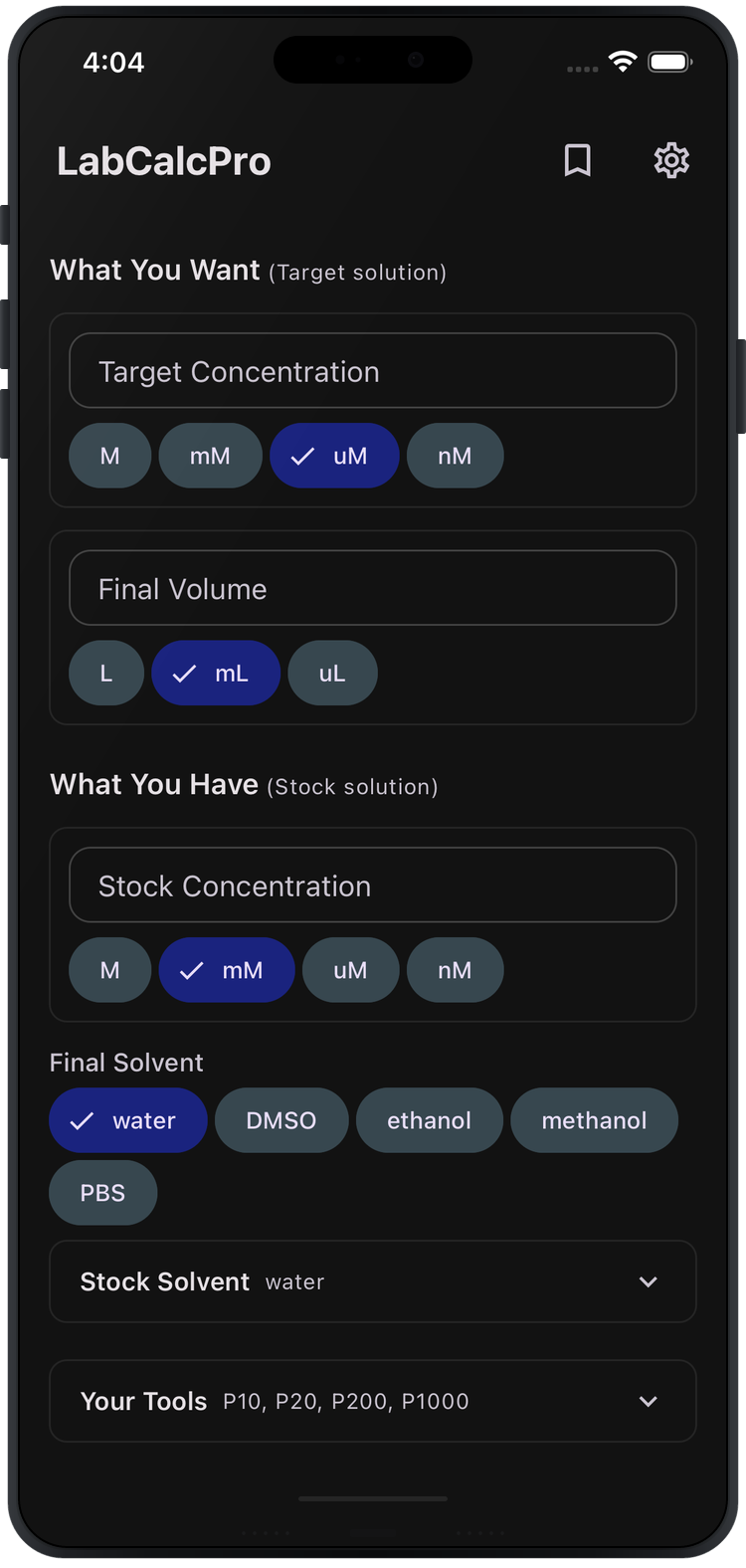
Works offline
Your data stays local
Transparent math
Features
Built for the bench.
Purpose-built tools for laboratory solution preparation — from quick C1V1 calculations to multi-step serial dilutions.
Instant Calculations
Step-by-Step Protocols
Serial Dilution Support
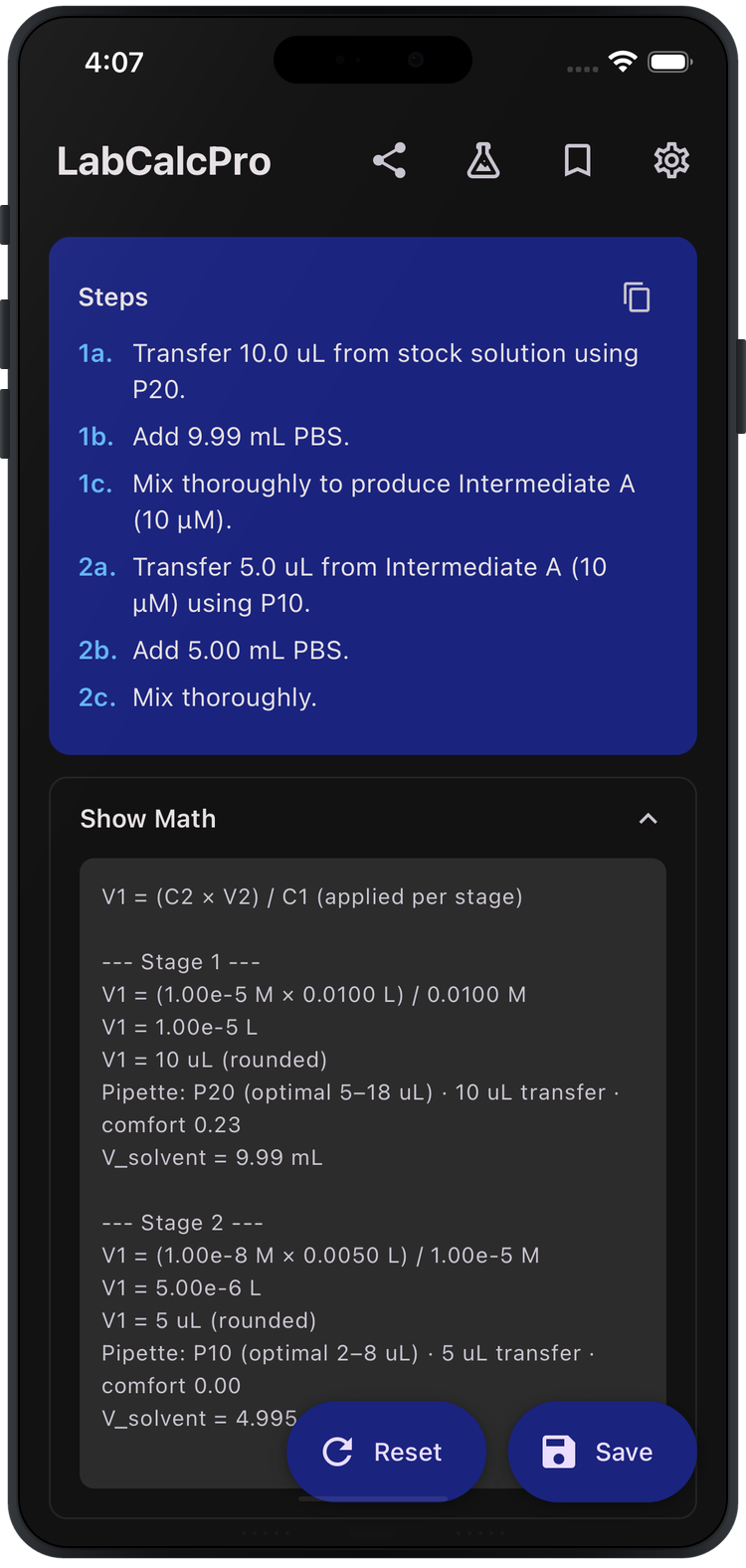
Show Your Math
Pipette-Aware Rounding
Save & Share
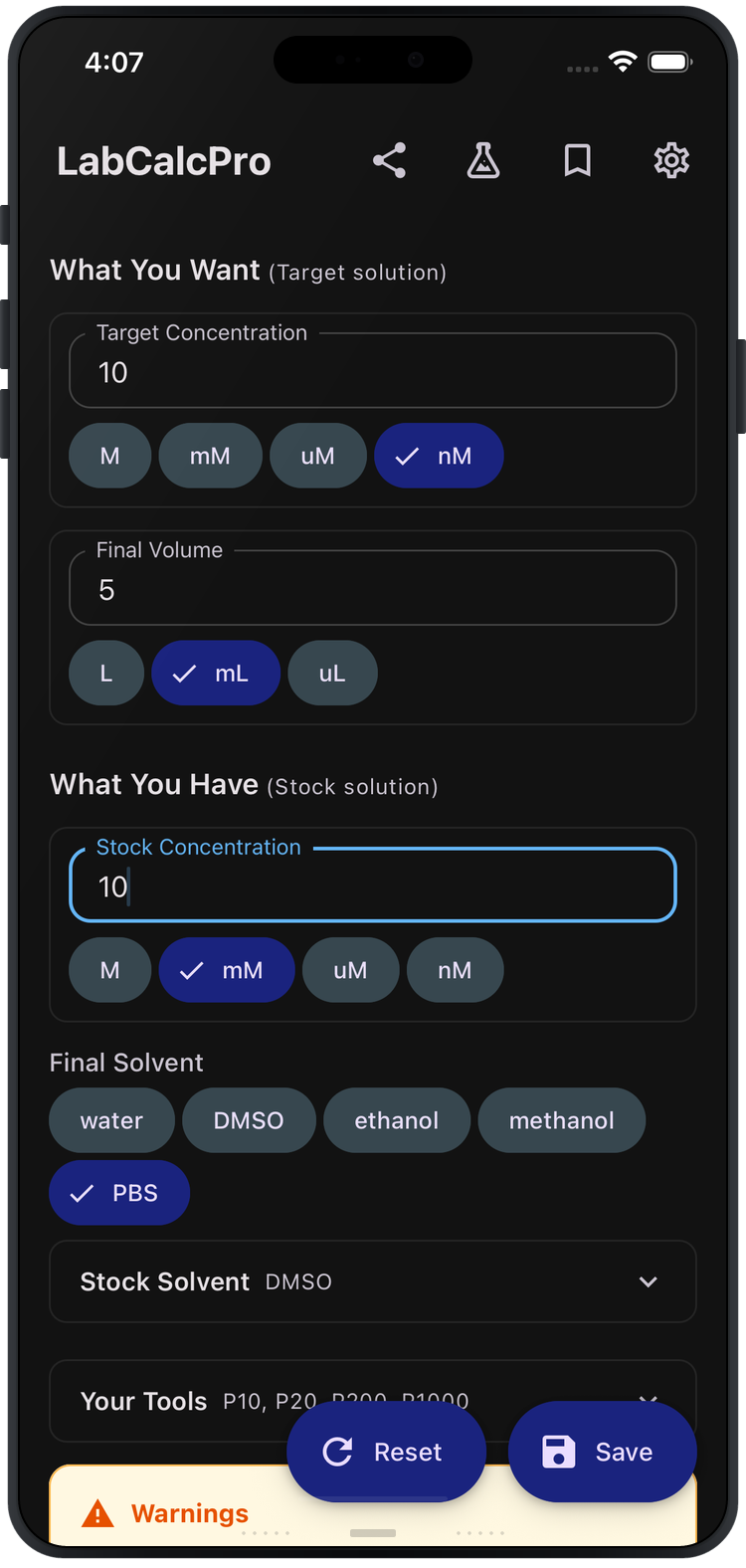
Enter what you want
Target concentration and final volume.
Enter what you have
Stock concentration and solvent.
Get your protocol
Numbered steps, pipette selections, warnings, and full math — instantly.
Bench Mode
Take it to the bench.
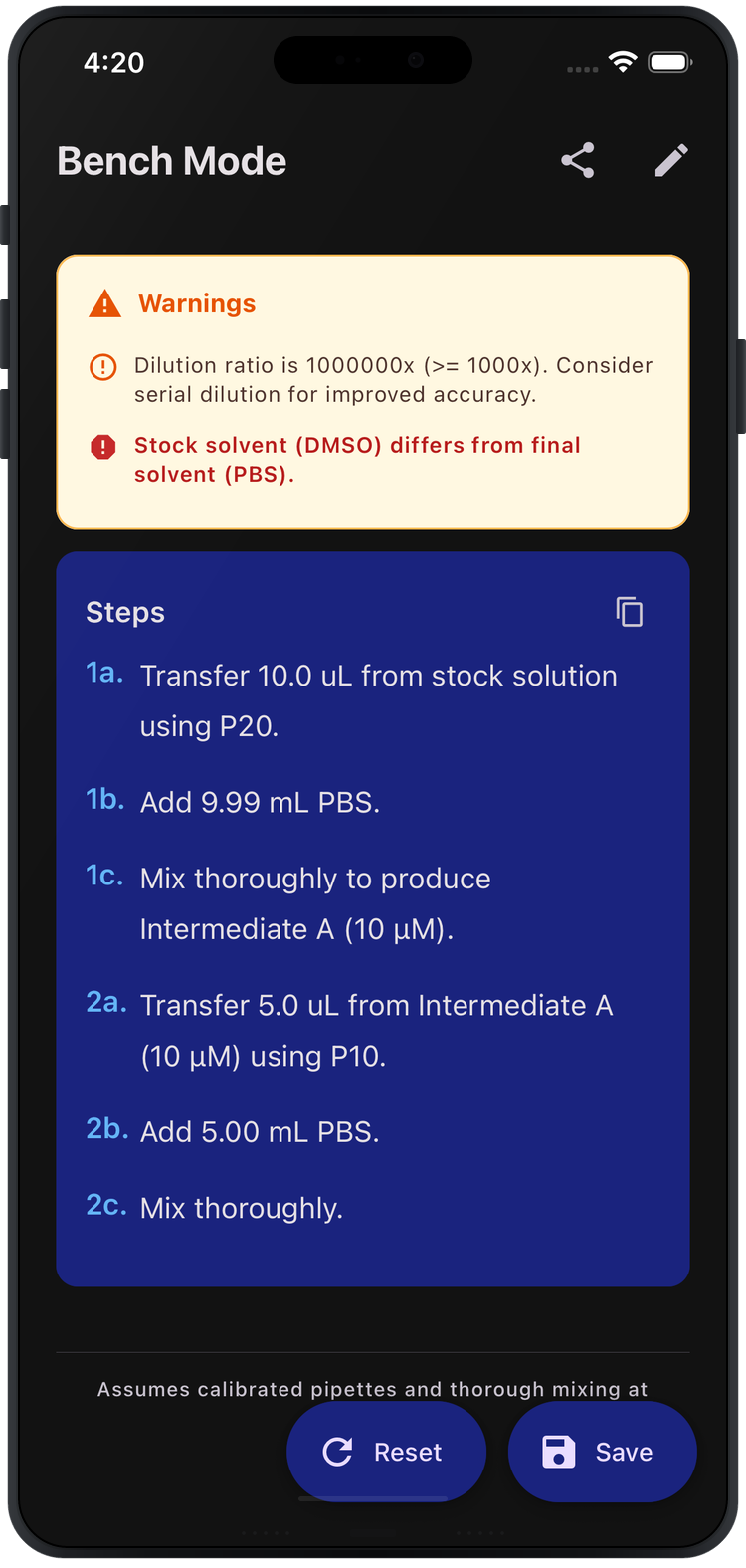
Tap the flask icon to enter Bench Mode. Your screen stays awake, inputs and math collapse, and your protocol is displayed in large, easy-to-read text. Just prop up your phone and follow the steps.
- Screen stays awake while you work
- Large text optimized for reading at arm's length
- Protocol assumptions footer for traceability
- One tap to return to full view
App Preview
See it in action.
Calculator
Filled Inputs
Steps & Math
Bench Mode
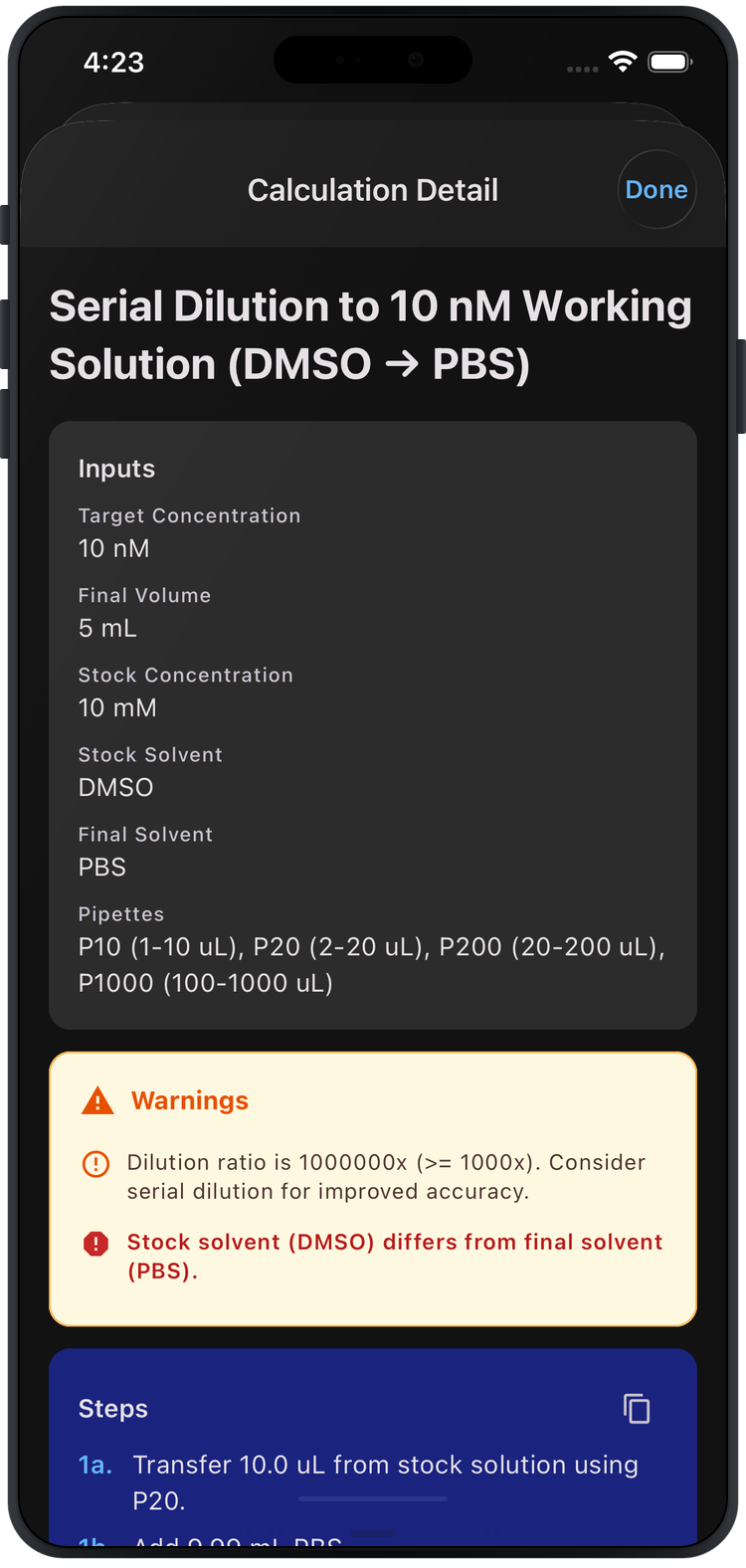
Saved Calculation
Your data stays on your device.
LabCalcPro performs all calculations locally on your device. No accounts. No cloud sync. No tracking. No ads.
Your saved calculations are stored in a local database that never leaves your phone.
This app is a calculation and planning utility for laboratory solution preparation. It does not provide medical, clinical, safety, or experimental technique guidance.
Stop second-guessing your dilutions.
Get step-by-step protocols with transparent math — in seconds.
Free download · 3-day trial · $5.99 lifetime unlock
No subscription. iOS 16+. No account required.
Questions or feedback?
We're here to help — reach out anytime.